
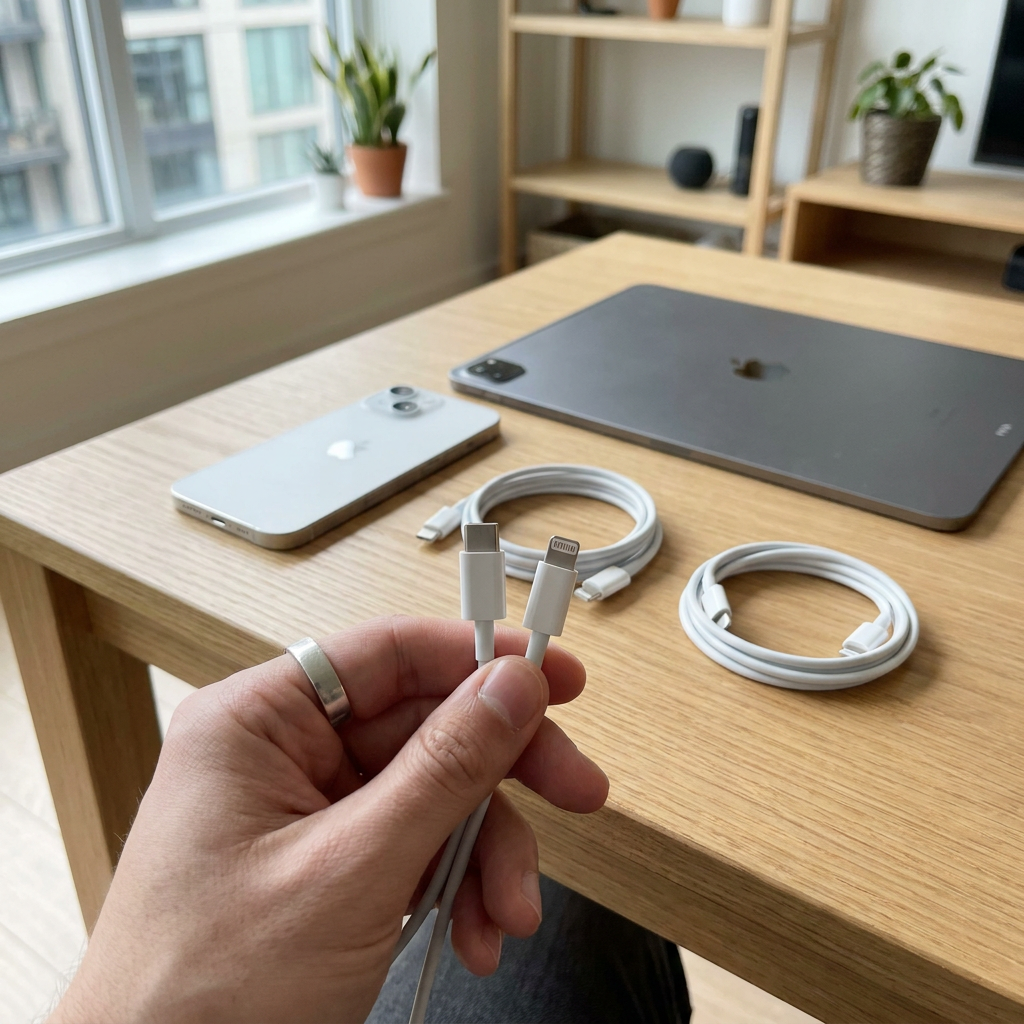
USB-C and Lightning are not the same. Lightning is mainly found on iPhone 14 and earlier, while iPhone 15 and later use USB-C. People searching for usb c lightning, usb c to lightning, lightning usb c or lightning to usb c are usually looking for a cable with USB-C on the charger side and Lightning on the iPhone side. Below, you can quickly see which connector you have, which cable fits and when you need an adapter. Already have an iPhone 15? View iPhone 15 accessories (USB-C).
How to identify the port on your device
Look at the connector on the bottom of your iPhone or iPad. A Lightning port is narrow and rectangular with rounded corners. A USB-C port is slightly wider and oval. In practice, the rule of thumb is simple: iPhone 14 and earlier use Lightning, iPhone 15 and later use USB-C. With iPads, it is mixed, because many newer iPad Pro, Air and mini models switched to USB-C earlier. If you are unsure, check the port first before ordering a cable.
What is the difference between Lightning and USB-C?
Lightning
Lightning was the standard Apple connector for iPhones, various iPads and accessories for many years. If you search for apple lightning usb, iphone lightning usb or lightning usb, it often means cables for these devices. Lightning works well for everyday charging and syncing, but it is mainly intended for the Apple ecosystem. For fast charging on supported iPhones, you would usually not choose an older USB-A cable, but a USB-C to Lightning cable combined with a suitable USB-C charger.
USB-C
USB-C is the modern universal standard for charging and data. That is why you often see terms like type c lightning, apple usb c lightning and iphone charging cable usb c in search queries. USB-C is used on smartphones, tablets, laptops and more and more Apple products. The main advantage is broad compatibility and support for modern charging technologies. If your device itself has a USB-C port, you will usually use a USB-C to USB-C cable and no longer need a Lightning cable. Want to know more about speeds and standards? Read USB-C: charging and data transfer.
Which cable fits your iPhone?
For an iPhone 14 or earlier, a usb c to lightning cable is usually the right choice if you want to charge via a modern USB-C adapter. For an older charger or computer with a classic rectangular USB port, you would more likely use Lightning to USB-A. For an iPhone 15 or later, you need a USB-C to USB-C cable, because these devices no longer have a Lightning port. Anyone searching for usb c iphone 11 or iphone 14 usb often runs into this exact difference. Using an iPhone 13 or earlier? View iPhone 13 accessories (Lightning).
Cable or adapter: what do you really need?
Search queries such as usb c lightning adapter, usb c to lightning adapter or lightning to usb c adapter may seem logical, but in most situations you do not need a separate adapter. You simply need the right cable with two different ends. If you want to connect a USB-C charger to an iPhone with Lightning, choose a USB-C to Lightning cable. An adapter is mainly useful for specific accessories or unusual connections, not for standard iPhone charging.
What should you look for with fast charging and safe use?
The right combination for fast charging
Fast charging only works properly when the cable and charger are matched. For an iPhone with Lightning, choose a usb c to lightning fast charging cable and a suitable USB-C Power Delivery charger. For newer iPhones with USB-C, use a USB-C to USB-C cable. Also look for Apple MFi certification with Lightning accessories. MFi means the cable is approved for use with Apple devices. CE and RoHS compliant accessories are also important for safe and stable everyday use. View our cables and chargers.
Practical rule of thumb
iPhone 14 or earlier: USB-C to Lightning. iPhone 15 or later: USB-C to USB-C. For use with a power bank or in the car, a short cable is handy, while 1 or 2 metres is more comfortable by the bed or desk. Do you charge wirelessly or use magnetic accessories? Read What is MagSafe? for an explanation and compatibility with USB-C iPhones.
Frequently asked questions about USB-C and Lightning
Is USB-C the same as Lightning?
No. They are two different connectors. Lightning belongs to older Apple devices and USB-C is the newer, broader standard that Apple now uses as well.
Can I plug USB-C into a Lightning port?
No, not directly. You need a cable with USB-C on one side and Lightning on the other. That is why usb c to lightning and lightning usb c are often used as search terms.
How do I know if my phone has USB-C or Lightning?
Look at the shape of the port. Lightning is narrow and rectangular, USB-C is oval. With Apple, the rule is usually: iPhone 14 or earlier is Lightning, iPhone 15 and later is USB-C.
Why did Apple use Lightning first and now USB-C?
Lightning was compact and practical within the Apple ecosystem for many years. USB-C offers more universal compatibility and is better aligned with the current standard for charging and accessories.
Is an apple usb c lightning cable better than a generic cable?
Quality matters more than the name. Choose a solid cable with Apple MFi certification and accessories that comply with CE and RoHS guidelines. That gives you more confidence when charging, connecting and using it every day.
So if you are searching for usb c or lightning, it ultimately comes down to one question: which port is on your device and which port is on your charger? Once you know that, you can quickly choose the right cable without any doubt or compatibility issues.