
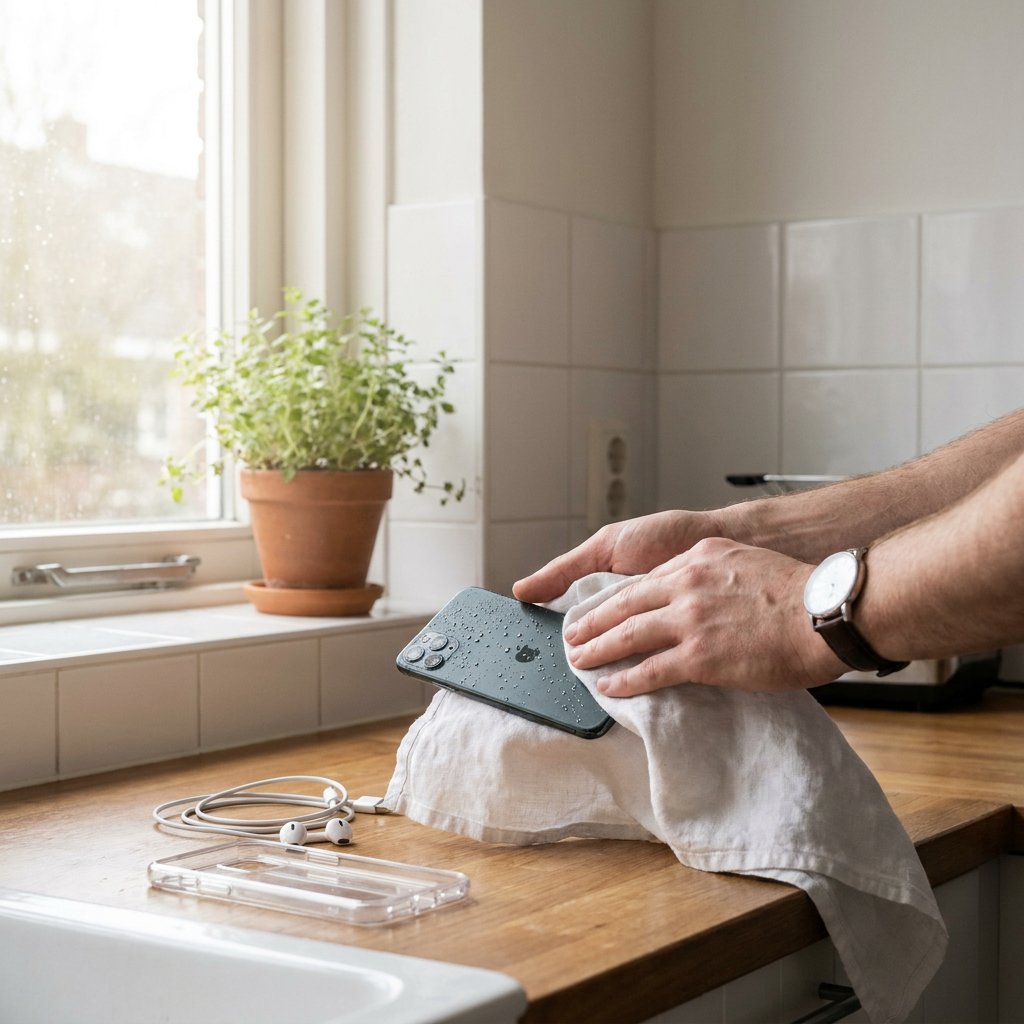
Has your phone got wet or even fallen into water? Then act immediately: switch the device off, remove the case and accessories, pat the outside dry and do not turn it back on to test it. In this case, waiting is smarter than trying, because extra damage often occurs in the first few minutes.
Below, you can read step by step what you should do right away, what you should avoid and when a specialist is the sensible choice for water damage to your smartphone.
The first 10 minutes make all the difference
- Take the phone out of the water immediately.
- Switch it off completely right away.
- Remove the case, cables, SIM card and memory card.
- Take out the battery if you can do so without forcing it.
- Pat the outside dry with a clean, soft cloth.
- Place the device in a dry, well-ventilated spot.
- Leave it alone for at least 24 to 48 hours.
Does your phone have a non-removable battery? Then do not try to pry the casing open yourself. With modern smartphones, that often causes extra damage to the seals, the screen or internal components. The less you move, shake and put the device under strain, the greater the chance that the moisture will not spread further.
Not every wet phone carries the same risk
A few raindrops are different from a device that has been fully submerged. The type of liquid also matters a great deal. Tap water is unpleasant, but salt water, chlorinated water, coffee, soft drinks or sugary drinks are often more damaging because they leave residue behind that speeds up corrosion. That is why it is important to assess the severity properly.
Does your smartphone have an IP67 or IP68 rating? Then it is water-resistant, not completely waterproof. Such a rating usually only applies under controlled conditions and for fresh water. With an older phone, a device with drop damage or worn seals, that protection is also less reliable. Even with a water-resistant phone, it is still wise to act quickly, especially after contact with sea or pool water. Manufacturer warranties also often do not cover liquid damage.
| Situation | Risk | Best approach |
|---|---|---|
| Splashes or rain | Low to medium | Switch it off, pat it dry and let the ports dry completely |
| Tap water or toilet water | Medium to high | Follow the full step-by-step plan and wait at least 24 to 48 hours |
| Pool or sea water | High | Switch it off immediately and have it professionally checked quickly |
| Coffee, soft drink or juice | Very high | Do not charge it and strongly consider professional cleaning |
What you definitely should not do
- Do not turn the phone on to see if it still works.
- Do not charge it while there may still be moisture inside.
- Do not shake the device back and forth.
- Do not use a hair dryer, oven, heater or direct sunlight.
- Do not put it in rice as the main solution.
- Do not insert a cotton swab, tissue or metal object into the charging port.
Rice is popular, but it usually does not solve the real problem. At best, it removes a limited amount of moisture from the outside, while internal moisture, dirt and minerals can remain behind. Heat sources are also risky: they can overheat components, damage adhesive or push moisture deeper into the device. If you would rather avoid the charging port later, first check whether your phone supports wireless charging.
Why water damage can still cause problems later
Even if your phone seems to work again after drying, water damage may still be present. Moisture leaves minerals and residue on the motherboard, the battery connector, the camera, the speaker and the charging port. This causes corrosion, poor connections and sometimes short circuits. Typical issues are muffled sound, poor charging, a foggy camera, signal dropouts, random restarts or a screen that fails later on. It can also happen that wireless charging no longer works. So back up your data as soon as possible if the device powers on again. A phone that "works again" is not automatically safe in the long term.
When professional cleaning is advisable
Has your phone been fully submerged, come into contact with salt or chlorine, or got wet from coffee or a soft drink? Then professional inspection is often the smartest choice. The same applies if the device still does not power on after 24 to 48 hours, keeps showing a moisture warning in the charging port, or if the camera, microphone, speaker or touchscreen behave strangely. A specialist can open the device, inspect the internal components and clean affected parts with suitable products. That tackles not only visible moisture, but also early corrosion that you cannot see yourself.
Frequently asked questions about a wet phone
How do I quickly get moisture out of my phone?
The quickest safe approach is to switch it off, remove accessories, pat it dry and leave the device to rest in a dry place with ventilation. Preferably keep openings such as the charging port facing downwards. If you have silica gel packets lying around, they are more useful than rice, but they also do not fully solve internal residue.
How long does it take for moisture to leave a phone?
With light wetness, 24 to 48 hours is often the minimum. If the phone has really been submerged, internal moisture can remain for longer. With salt water, chlorine or sugary drinks, time alone is often not enough because residue remains behind that causes corrosion.
How do I get water out of the charging port or speaker?
Let the phone dry with the opening facing down and do not use sharp objects or compressed air. If you get a warning about moisture in the charging port, do not charge it until that warning disappears. If the speaker sounds muffled, give the device extra drying time and do not force anything.
Can my phone work again and still have water damage?
Yes. That happens regularly. The device may seem to work normally at first, while oxidation is already developing inside. So back up your data immediately and keep a close eye over the following days on whether charging, sound, camera and screen continue to work normally.
How to reduce the risk of new water damage
A good protective case, a water-resistant pouch for the beach or pool and extra protection for your phone help prevent many problems. Only use a cable or charger again when the port is completely dry, and preferably choose quality, certified accessories. That is not only safer, but also reduces the risk of extra damage once your smartphone is back in use.