
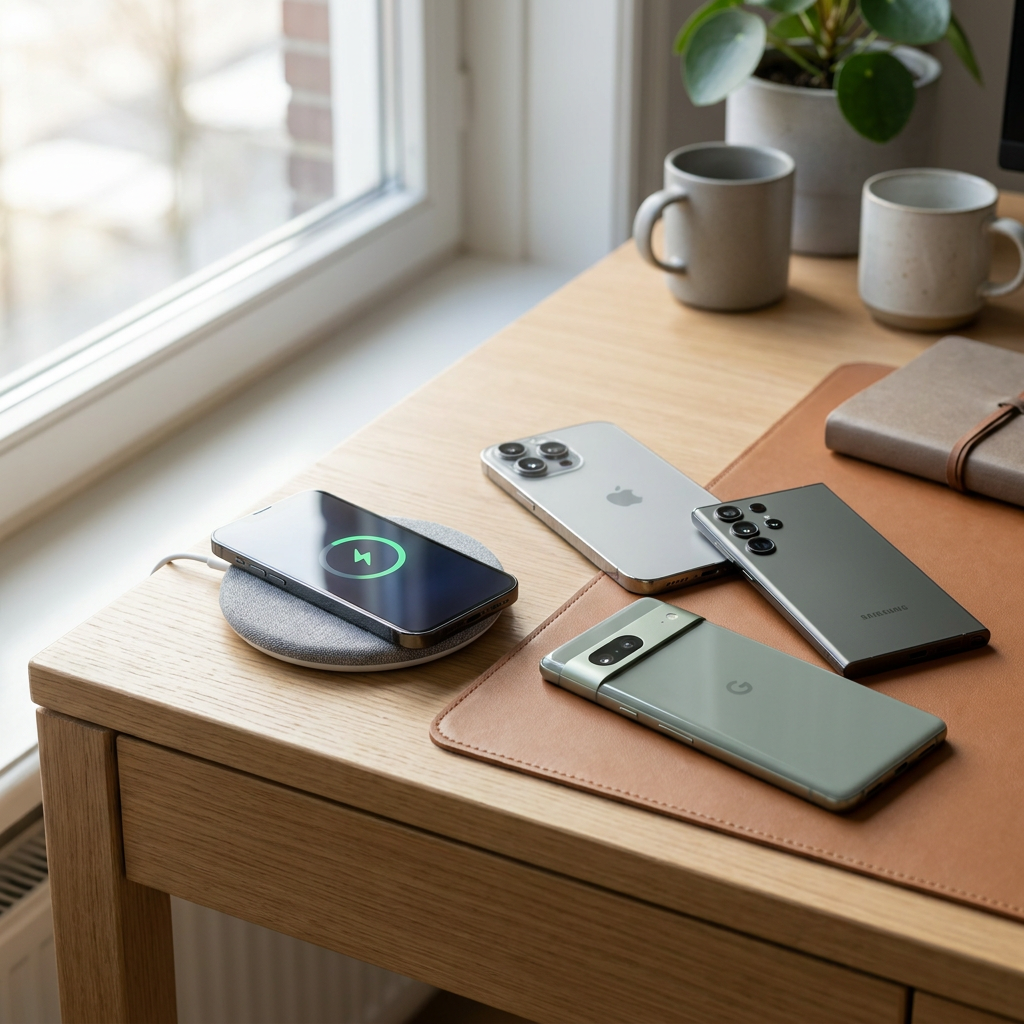
Want to quickly know whether your phone can charge wirelessly? Then the shortest and most useful rule of thumb is this: almost all iPhones from the iPhone 8 onwards support wireless charging, Samsung mainly offers it on the Galaxy S, Note and Z series, and with Android brands such as Google, OnePlus, Xiaomi, Huawei, Sony, Motorola and Oppo, the feature is found mainly on premium models. More affordable lines such as Galaxy A, OnePlus Nord, Redmi, Lite variants and other entry-level models often do not have it. So it is less about the brand alone and more about the exact model range. Below, you can immediately see how to check this, which phones are usually Qi-compatible and what to look out for with Qi, MagSafe and Qi2.
How to check in 1 minute whether your phone can charge wirelessly
If you are unsure which phone or mobile supports wireless charging, you do not need to dive straight into technical specifications. This quick check will usually tell you exactly where you stand.
- Check your device specifications for terms such as wireless charging, Qi, Qi2 or MagSafe.
- Check the model range. Premium devices are far more likely to have the feature than entry-level and mid-range models.
- Watch out for well-known exceptions by brand, such as Samsung Galaxy A, OnePlus Nord and various Lite or Redmi models.
- Already have a Qi charger? Place your device on it without a metal case or card holder. If no charging icon appears, the device probably does not support it.
Important to know: wireless charging only works if the phone itself has a built-in charging coil. So a USB-C port or fast-charging feature does not automatically mean the device can also charge wirelessly.
Overview of phones that support wireless charging
The overview below gives the quickest practical guidance for 2026. Manufacturers may vary by version or generation, so if in doubt, always check the exact model name.
| Brand | Usually supports wireless charging from | Important notes |
|---|---|---|
| Apple | iPhone 8 and newer | iPhone 12 and newer also supports MagSafe for magnetic alignment |
| Samsung | Galaxy S6 and newer, Note 5 and newer, many Z Flip and Z Fold models | The Galaxy A series usually does not support this |
| Many Pixel models from Pixel 3 onwards | Several a models are excluded, so always check per device | |
| OnePlus | Mainly Pro and flagship models from the 8 series onwards | The Nord series usually does not have it |
| Xiaomi | Premium models from Mi 9 onwards | Redmi and various Lite models usually do not |
| Huawei | Mainly Mate and P flagship models from Mate 20 Pro onwards | Not every model within a series is Qi-compatible |
| Motorola | Selected Edge and Razr models | Support varies greatly by model |
| Sony | Various Xperia flagship models | More affordable Xperia ranges often do not have it |
| Oppo | Limited, mainly certain Find X models | Many Oppo phones do not support it |
The pattern is clear: the higher a device is positioned in the market, the greater the chance it supports wireless charging. Especially with Android, that rule is more reliable than looking at the brand name alone.
Qi, MagSafe and Qi2 explained
If you search for which phone has Qi, you will almost always end up with the Qi standard. This is the best-known universal technology for wireless charging. You place the phone on a compatible charger and energy is transferred through induction. The device itself does not need a cable, but the charging station still has to be connected to power.
MagSafe is Apple’s magnetic variant built on top of wireless charging. On iPhone 12 and newer, the magnet helps the phone snap into exactly the right position. That is useful, because incorrect positioning is a common reason why charging is slow or does not start at all.
Qi2 and newer variants build on that idea of better alignment. This can make charging more efficient, more stable and in some cases faster. Not every Android phone with wireless charging automatically also supports magnetic charging. Sometimes you need a suitable case or a specific charger for that. So if you want the best experience, look not only at whether a phone can charge wirelessly, but also at which standard it supports.
What to look out for with wireless charging
In practice, the right match between phone, charger, adapter and case makes a big difference. It helps you avoid slow charging sessions, heat loss and compatibility issues. Want to charge on the road? Read our tips about charging your phone in the car.
What determines the charging experience?
Speed
Wireless charging is mainly designed for convenience. Wired charging is still usually faster, especially with powerful fast-charging adapters. If you mainly want to charge a phone at your desk, bedside table or home workspace, wireless charging is ideal. If you want to top up as much battery as possible in a short time, a cable is often still more efficient.
Case and positioning
A thin plastic or silicone case usually works perfectly well. Thick cases, metal plates, card holders and some premium wallet cases can interfere with the signal. With standard Qi, the position on the charging pad matters. With MagSafe and Qi2, that alignment is handled better, which makes charging more consistent. For magnetic systems, MagSafe-compatible cases help ensure optimal alignment and stable charging.
Choosing a safe charger and adapter
Preferably choose a Qi or Qi2-certified charger and look for CE and RoHS compliance. If you use Apple accessories, MFi certification is an extra quality indicator for compatible products. The adapter used with the charger is also important: a fast wireless charger only performs well if the power adapter delivers enough output. Choosing certified accessories from a reliable EU supplier means greater safety, more stable performance and a refined finish. That fits perfectly with the type of innovative, design-led accessories AZcom stands for.
Frequently asked questions about wireless charging
How do I know if my phone can charge wirelessly?
The most reliable way is to check your device’s official specifications. Look for wireless charging, Qi, Qi2 or MagSafe. If none of those are mentioned anywhere, the phone usually does not support it. In practice, premium models often do and more affordable models often do not.
Can you wirelessly charge a Samsung A56?
Normally not. The Galaxy A series is known as a range in which wireless charging is usually missing, even when the devices do support fast wired charging. Always check the exact product page, but do not expect standard Qi support on a Galaxy A56.
Can you charge a Samsung wirelessly?
Yes, but not every Samsung. The Galaxy S series, Note series and many Z Flip and Z Fold models support it in particular. The A series usually does not. Some high-end Galaxy models also offer extra features such as Wireless PowerShare, which lets you top up other accessories wirelessly as well.
Is wireless charging better for your phone?
Not necessarily better, but it is often more convenient. The biggest practical benefit is less wear on the charging port, because you plug and unplug a cable less often. For the battery, wireless charging with a good, certified charger is normally safe. Excessive heat is still something to avoid.
Does wireless charging work with a case?
Usually yes, as long as the case is not too thick and does not contain metal parts. Thin cases rarely cause problems. With magnetic systems such as MagSafe or Qi2, a compatible case works best because the alignment is more precise and the chance of charging interruptions is lower.
Why is wireless charging slower than charging by cable?
Because energy transfer through induction is less efficient than charging directly with a cable. Some energy is lost as heat and the phone’s position also plays a role. With a good charger, suitable adapter and correct alignment, you will still get much better results than with a random basic charger.
Is wireless charging really wireless?
For the phone, yes: during charging, no cable needs to be plugged into the device. The charger or charging stand itself usually still has to be connected by cable to the wall socket or an adapter. So it is not completely cable-free at home yet, but for daily use it is considerably more comfortable.
Which iPad can charge wirelessly?
No regular iPad currently supports Qi charging like a smartphone does. Apple uses different charging methods on iPads, usually via USB-C or another wired solution. So only look for wireless charging if you specifically want to charge a smartphone, earbuds case or certain wearables.
After checking your device, if you also want to choose wireless chargers and charging accessories straight away, always look at the correct standard, the adapter’s output and the quality of the finish. A stylish, reliable and certified accessory makes the difference between simply charging and genuinely worry-free daily use.