
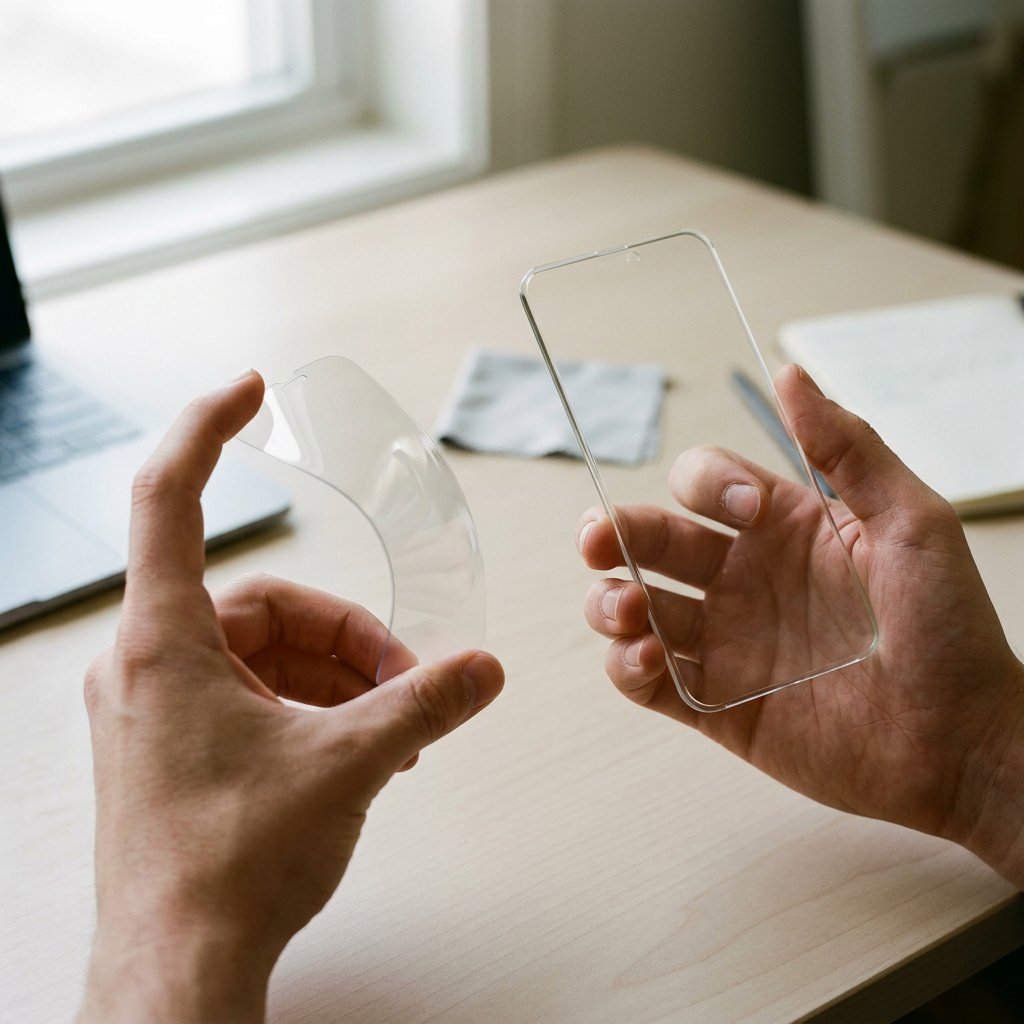
Glass suits those who prioritise scratch resistance and a glass-like feel; film suits those who value a thin, flexible layer. There is no universal winner: your device and how you use it determine the choice. Fit and correct application also matter. At AZcom BV, we have worked with telecom accessories since 2003 and help you understand the differences. Once you have decided between glass and film, browse phone protection accessories to find compatible screen protectors and cases.
The materials behind the protective layer
A screen protector is an additional protective layer on top of your screen. The original screen glass remains underneath; the protector does not replace that glass.
Tempered glass is toughened glass. A controlled treatment creates stresses within the material that make it stronger than untreated glass. The result is a rigid, transparent protective sheet.
Screen protector film is a flexible plastic layer. Its composition varies: PET film, for example, holds its shape better, while TPU film is more elastic. Films therefore also differ in stretch, touch feel and resistance to signs of wear.
Hydrogel is a term for certain flexible protective films, not liquid glass. A product-specific claim about ‘self-healing’ refers to superficial signs of wear. It does not mean that deep scratches or tears will disappear.
Compare protection, comfort and price
The best screen protector matches your priorities. These differences are a guide; performance also depends on product quality and finish.
| Feature | Glass | Film |
|---|---|---|
| Scratch protection | Generally more resistant to scratches during everyday use. | Shows visible scratches and signs of wear sooner. |
| Impact protection | Forms a rigid additional layer that can break on impact. | Provides a flexible layer, with more limited protection against concentrated impacts. |
| Thickness and visibility | Relatively thicker; the edge is more noticeable to the touch and more visible. | Thinner and less noticeable on the screen. |
| Touch feel | Feels like glass; fingers glide smoothly over a well-finished surface. | Can feel smooth or grippy, depending on the type of plastic. |
| Display clarity | Clear when material quality and adhesion are good. | Also clear; texture and finish affect the image. |
| Purchase price | Often priced higher. | Often priced lower. |
| Choose this for | A focus on scratch resistance and a glass-like feel. | A preference for a thin, flexible layer that fits your device. |
What do hardness and breakage tell you about protection?
Scratch resistance is different from resistance to breakage. On screen protectors, the 9H rating generally refers to pencil hardness: a test of the surface's resistance to scratching with test pencils. This is not the same as a hardness of 9 on the Mohs scale, which is used to compare minerals.
Even strengthened smartphone glass can get scratched. Hard sand particles can damage the surface, for example when they become trapped between the screen and another object. The hardness of the material in contact with the screen and the pressure applied both play a role.
A broken protector does not prove that the screen would definitely have broken without it. In a fall, factors including the landing surface, impact angle and point of impact determine what gets damaged. A break alone does not tell you how much protection the layer provided.
Damaged protective glass can have sharp edges. A screen protector does not make your phone waterproof either. Demonstrations with hammers or knives are not a reliable measure of protection during everyday use.
Check screen edges, case and fingerprint scanner
- Device model: choose the exact version, with the correct dimensions and cut-outs for the camera and sensors; for an iPhone, you can first use our guide what iPhone model do I have. For accessories by brand, you can browse our Apple collection and Samsung collection.
- Case: for both TPU and silicone cases, case-friendly means that space is left around the edge so the case does not lift the protector. This is different from full screen coverage.
- Curved edges: the fit depends on the shape of the protector and how it is attached. The choice between glass and film alone therefore does not determine how well the edges fit.
- Samsung Galaxy S10: both glass and film require explicit support for the ultrasonic fingerprint scanner beneath the screen. Register your fingerprints again if the product instructions require it.
Apply your screen protector carefully
-
Prepare for application. First hold the protector above the screen, with the protective backing still intact, to check the size. Carefully remove any old protector. Keep everything you need within reach on a clean, dry work surface with little dust. Ensure there is enough light to see small particles and the screen edges clearly. Switch off the screen to make dirt easier to spot.
-
Clean the screen according to the product instructions. Dry it with a suitable lint-free cloth and remove any remaining dust particles with the tool intended for this purpose. Examine the surface from different angles: smudges and dust are easier to see on a dark screen. Only peel off the protective backing when the screen is clean and you are ready to apply the protector immediately. Do not touch the adhesive side.
-
Align the protector with the screen edges and cut-outs. Use any supplied application frame or other tools according to the instructions. Hold a rigid glass protector flat and lower it in a controlled motion. Many types of flexible film are applied gradually as the protective backing is removed. Follow the product's application direction to prevent the film from folding over or sticking where it should not.
-
Check for air bubbles immediately after application. Work trapped air towards the edge only as directed in the product instructions, using the specified tool and without excessive pressure. A visible speck beneath a bubble may indicate dust; pressing harder will not remove that particle. Only correct this using an approved method. Whether any remaining air dissipates depends on the product and the cause of the bubble.
Care, reapplication and timely replacement
Clean your protector gently with a suitable soft cloth and only use cleaning products permitted by the manufacturer. Products with an oil-repellent, or oleophobic, coating make fingerprints easier to wipe away.
Careful adjustment during the initial application is different from reusing the protector later. After removal, dust and reduced adhesion can prevent a neat application. Glass can also break when lifted. A used protector will not automatically fit another phone: dimensions, cut-outs and adhesion must all be suitable for that device.
Replace the screen protector if it has cracks, sharp edges, peeling sections or damage that interferes with visibility or operation. If you need instructions, see how to replace a screen protector safely. The protector's condition is what matters, not a fixed period of use. This helps keep the screen comfortable and safe to use.