
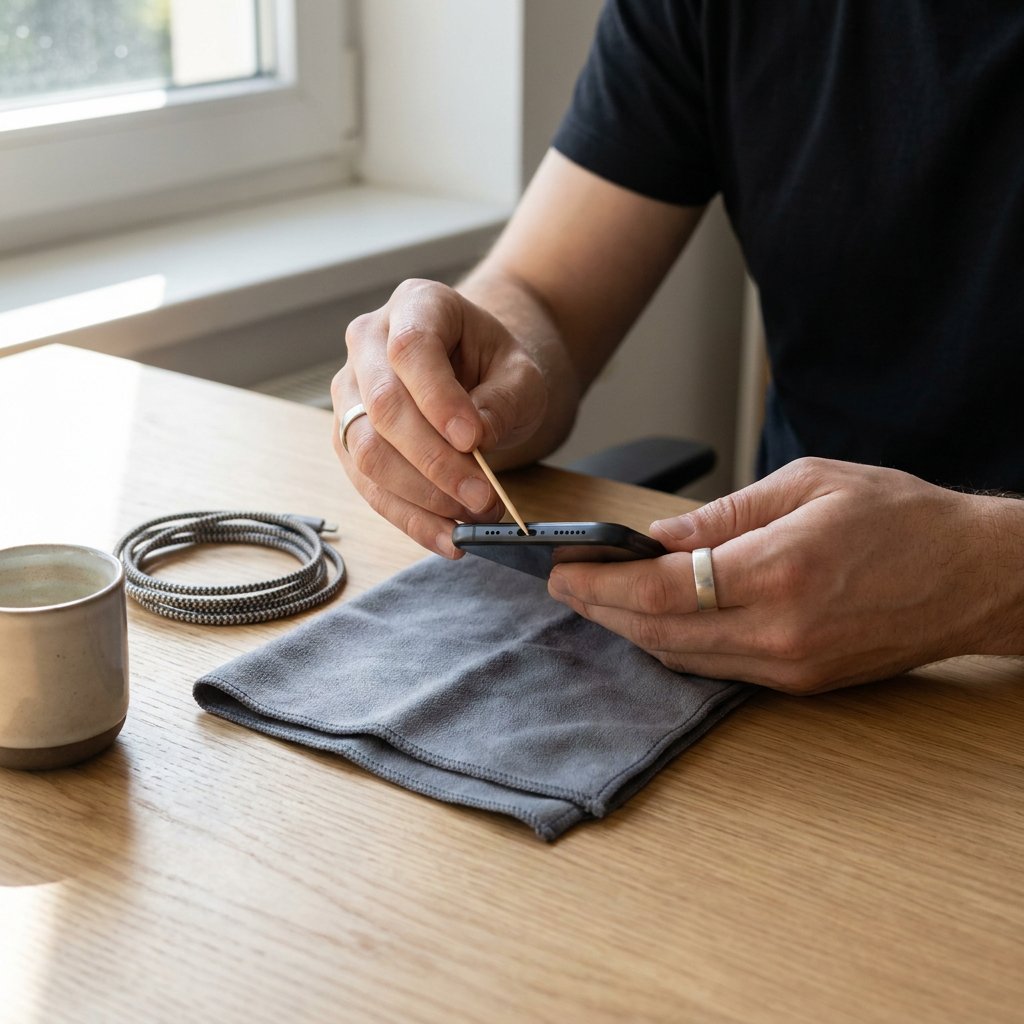
Does your phone now only charge if the cable sits exactly right, does charging cut out at the slightest movement, or is the plug no longer recognised properly? Then built-up dust or lint in the charging port is often the cause. Fortunately, you can often clean a charging port safely, as long as you work carefully and use the right method.
The safe basics are simple: switch off the device first, inspect the port in good light and work only with wood or plastic. Avoid metal, water and unnecessary force. If your phone recently got wet, follow Phone got wet? What to do next before attempting any cleaning. At the same time, bear in mind that not every connector is the same, so first check whether you are dealing with USB-C or Lightning: which port does your iPhone need?. Dirt does not always explain the whole problem either. So test another cable or charger as well, and watch for signs of actual damage to the port itself.
How to tell straight away that dirt is disrupting charging
A dirty charging port can usually be recognised quickly. The cable then clicks into place less firmly, charging stops as soon as you move the device, or charging only works at a certain angle. Sometimes the phone no longer responds at all when you connect the plug. This is often because dust and lint build up at the back of the port, preventing the connector from going in deeply enough and making the connection unstable.
Slower charging or accessories that are not recognised properly can also be related to this, as can faults with USB-C charging and data. For more detail, see the USB-C charging and data guide. Anyone who then starts pushing harder or forcing the plug also increases the risk of extra wear. Note, however, that the same symptoms can also be caused by a faulty cable, adapter or damaged connector. So cleaning alone is not always the solution.
First check whether the port is actually blocked
Always switch off your device before inspecting or cleaning the charging port. Then shine a torch into the port. If you see compact dust, grey lint or compressed dirt at the back, there is a good chance the plug can no longer connect fully. A clean port looks open and free of build-up.
Also try connecting a different cable and adapter first. A worn or contaminated cable is common — see Charging cables to quickly swap in a known‑good lead. If you suspect a cable issue or compatibility mismatch, our USB-C PD cable wattage and compatibility guide can help. If wireless charging still works, but charging by cable does not, that more often points to a problem in or around the port than to an empty or worn-out battery.
This is what you need - and what you are better off avoiding
| Use | Why | Better to avoid |
|---|---|---|
| Torch | Makes it visible whether there is dust or lint at the back of the port | Cleaning blindly without looking |
| Wooden toothpick or fine plastic tool | Helps loosen dirt carefully without putting metal directly on the contacts | Needles, tweezers, paper clips or other metal objects |
| Compressed air used sparingly | Can remove loose residue if you work briefly and in a controlled way | Excessively strong or prolonged bursts of air that push dirt deeper in |
| Very little isopropyl alcohol, only for stubborn dirt | Can help with contamination that does not come loose when dry; allow it to dry completely before use | Water, harsh cleaning products or wet cleaning |
Your most important tool remains a steady hand. Working carefully without force is safer than using lots of tools.
How to clean the charging port safely, step by step
- Switch the phone off completely before you start cleaning the charging port.
- Inspect the charging port with a torch and determine exactly where the dust or compacted lint is.
- Use a wooden toothpick or fine plastic tool to loosen the dirt very carefully.
- Work the lint outwards in small movements, so you do not push dirt deeper into the port.
- Do not scrape hard across the contact points. When cleaning a phone charging port, control is more important than speed.
- Remove any loose residue that you have loosened. This way, you can get dust out of the charging port without putting unnecessary pressure on the connector.
- If some dry dirt is still left behind, you can briefly use compressed air with care.
- Only if the remaining debris really will not come loose can you use a minimal amount of isopropyl alcohol on a suitable plastic or wooden tool. Afterwards, allow everything to dry completely.
- Only then test again. Connect the cable and check whether the plug sits securely again and charging remains stable.
iPhone, iPad or Samsung: what to watch extra closely here
| Type of port | Extra point to watch |
|---|---|
| Lightning on older iPhones and some iPads | Work extra carefully around the centre contact and do not use force when loosening lint. |
| USB-C on Samsung devices and newer Apple devices | The port is narrow, so use a fine wooden or plastic tool and minimal pressure. |
| All models | Switch off first, inspect with good light, do not use metal and always test a different charging cable as well. |
How to keep the port cleaner for longer
- Preferably keep your phone in a low-lint pocket or bag rather than in a trouser pocket full of dust and fibres.
- Do not carry the device unnecessarily with the charging port facing downwards if a lot of dirt can get in there.
- Check the port briefly from time to time in good light, before charging noticeably gets worse.
- Use a protective case or book-style case if it limits exposure to dust and the cut-out stays clean.
- Keep cable plugs clean as well, so you do not immediately bring new dirt back into the port.
If cleaning does not help, this is how to decide the next step
Stop cleaning it yourself if you see visible damage, the connector feels loose, contact points appear bent, the port gets warm, or the plug no longer fits normally. If the charging problem remains after cleaning, there may be damage to the port, a battery problem or a fault elsewhere in the charging system.
Test once more with a different cable and adapter. If only one accessory fails, replacing that is more logical than continuing to clean — for example, browse Chargers and power accessories for a compatible replacement. If nothing works reliably, a professional diagnosis is wiser than continuing to poke at the port.
What it usually costs to clean a charging port
Cleaning a charging port yourself usually costs almost nothing if you already have a torch and a safe wooden or plastic tool at home. Simple professional cleaning is quite different from a repair where the connector has to be replaced, and that price difference is usually large.
The final cost depends on the cause: only dirt, actual damage to the port, extra diagnosis or, in the end, replacement charging cables or a charger after all. That is why ruling things out properly is always smarter than immediately using more force or suspecting parts.